Plug-and-play widget
A “Pagar con Pago Móvil” (Pay with Pago Móvil) button for any website. Your customer sees the payment details, makes the Pago Móvil from their bank, types the reference and Bolívar Connect verifies it against your Banco de Venezuela account. Your store receives an event with the confirmed payment.
The widget’s interface is in Spanish, for your customers in Venezuela.
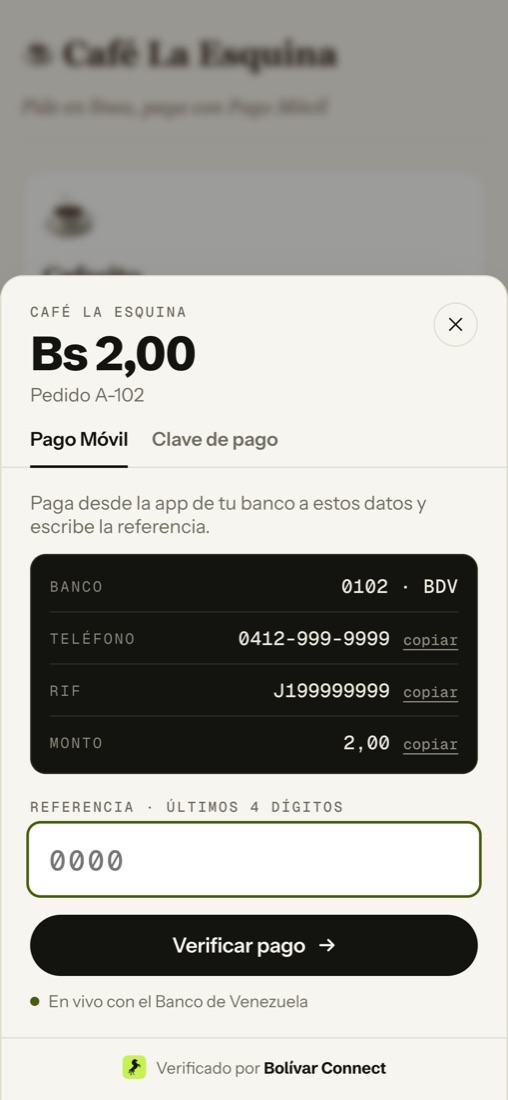
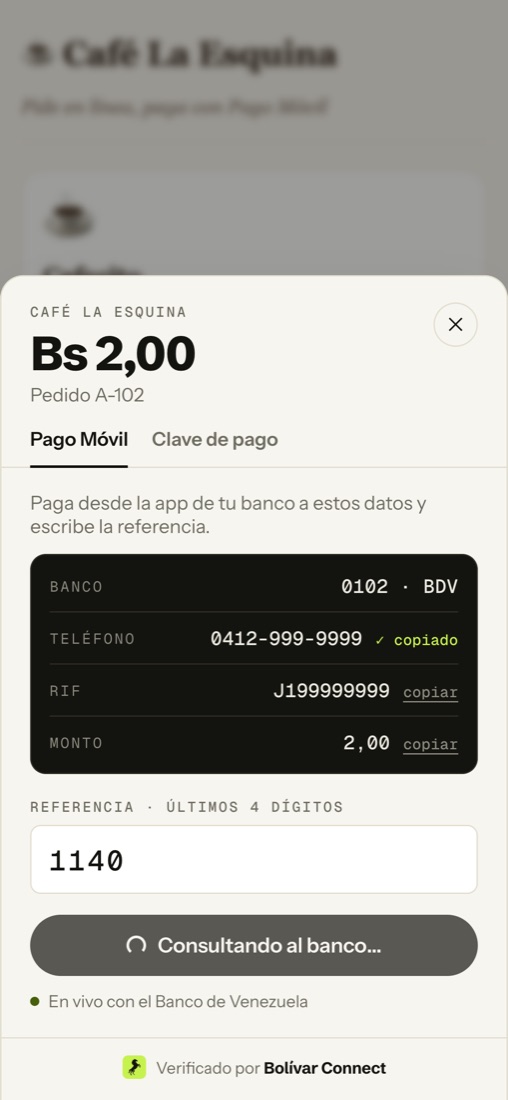
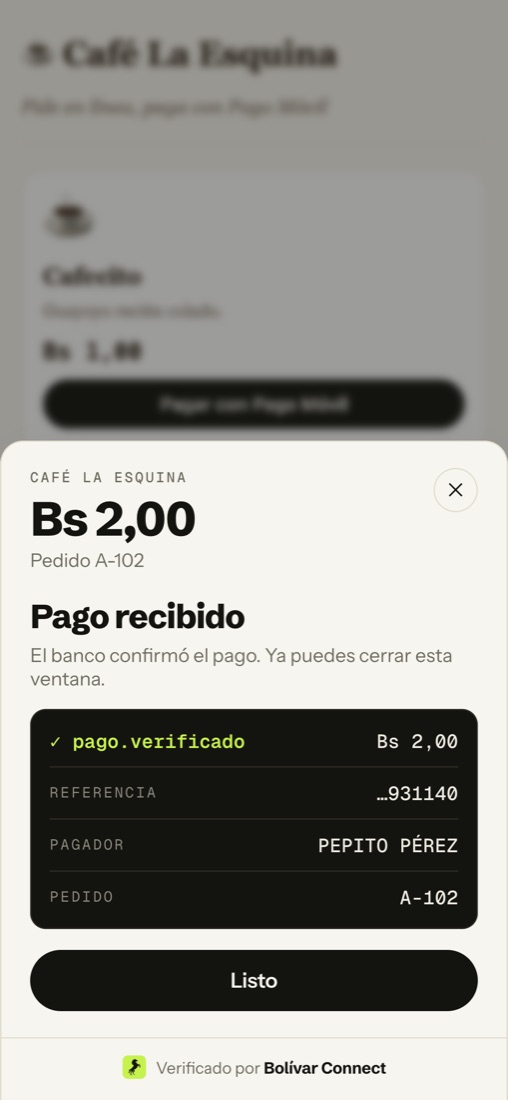
Installing in three steps
Section titled “Installing in three steps”-
Load the widget once, on any page where you want to collect.
<script src="https://YOUR_ENVIRONMENT/demo/widget.js" defer></script> -
Add one button per order. It can be your own button, with your own styles: the widget only reads the
data-attributes.<button data-pago-movil data-monto="2.00" data-pedido="A-102">Pagar con Pago Móvil</button> -
Find out about the payment by listening to a browser event.
document.addEventListener('pagomovil:pagado', (e) => {const { pedido, monto, referencia, pagador } = e.detail;markPaid(pedido);});
That is all. No packages to install, nothing to compile and your CSS does not change.
To give it your colors, your logo and your font, go to Customize your brand. This code does not need to change.
Button attributes
Section titled “Button attributes”| Attribute | Required | What it is |
|---|---|---|
data-pago-movil |
yes | Marks the element as a payment button. Works on <button>, <a> or any element, also if it is added after the page loads |
data-monto |
yes | Amount in bolívares with a decimal point: "2.00". It is the exact amount that will be verified |
data-pedido |
recommended | Your order identifier. It comes back in the event and is recorded against the payment. Without it, one is generated |
The pagomovil:pagado event
Section titled “The pagomovil:pagado event”It is emitted on document when the bank confirms the payment, both for
Pago Móvil and for payment PIN (C2P).
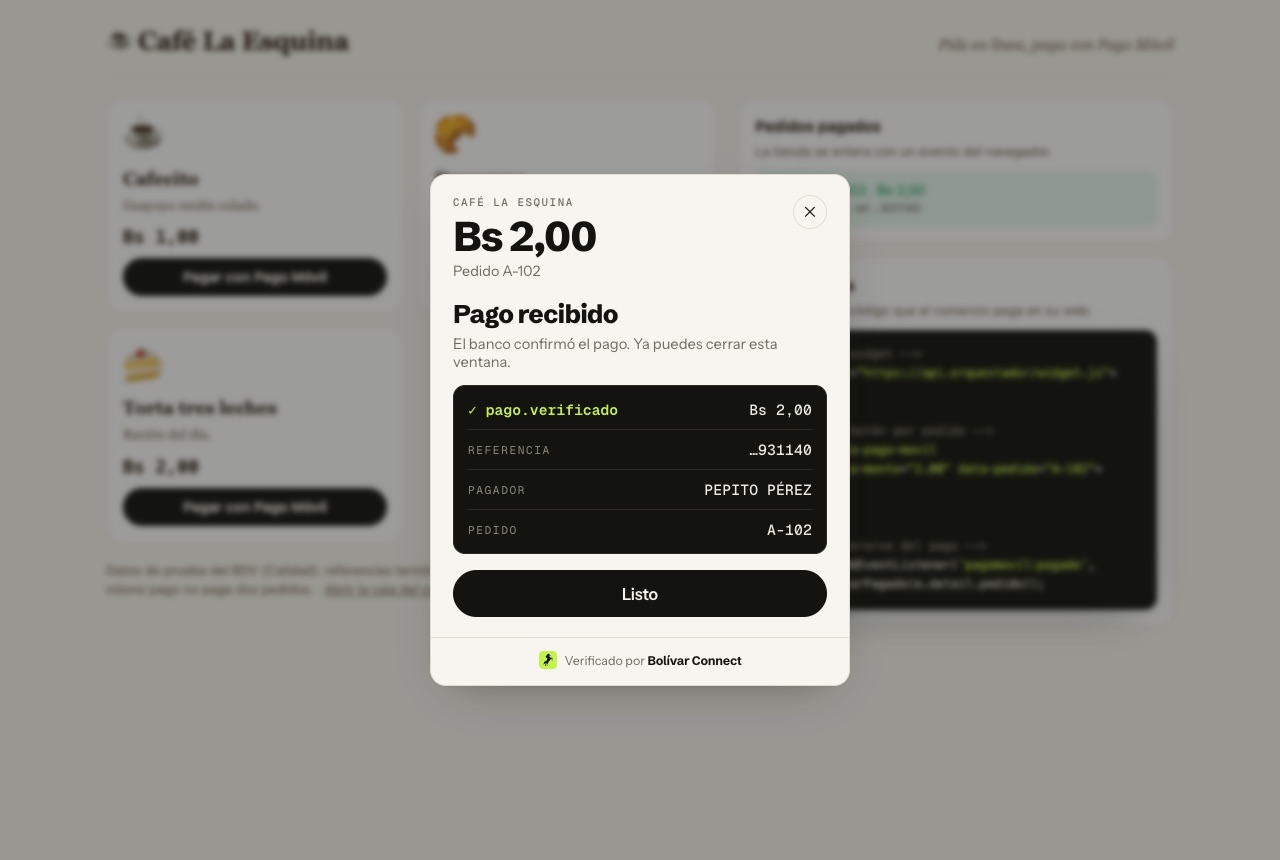
{ "pedido": "A-102", "monto": "2.00", "referencia": "0303327931140", "pagador": { "nombre": "PEPITO PÉREZ", "documento": "V12345678" }}pagador (payer) comes empty (null) for PIN-based (C2P) collections,
because the bank does not return it for that operation.
Opening it from JavaScript
Section titled “Opening it from JavaScript”If your store already has its own button or checkout flow, open the widget yourself:
window.PagoMovil.abrir({ monto: '2.00', pedido: 'A-102', onPagado: (pago) => markPaid(pago.pedido),});onPagado receives the same as the event. You can use either of the two, or
both.
Step by step
Section titled “Step by step”1 · Your customer clicks the button. The button is yours and carries your styles.
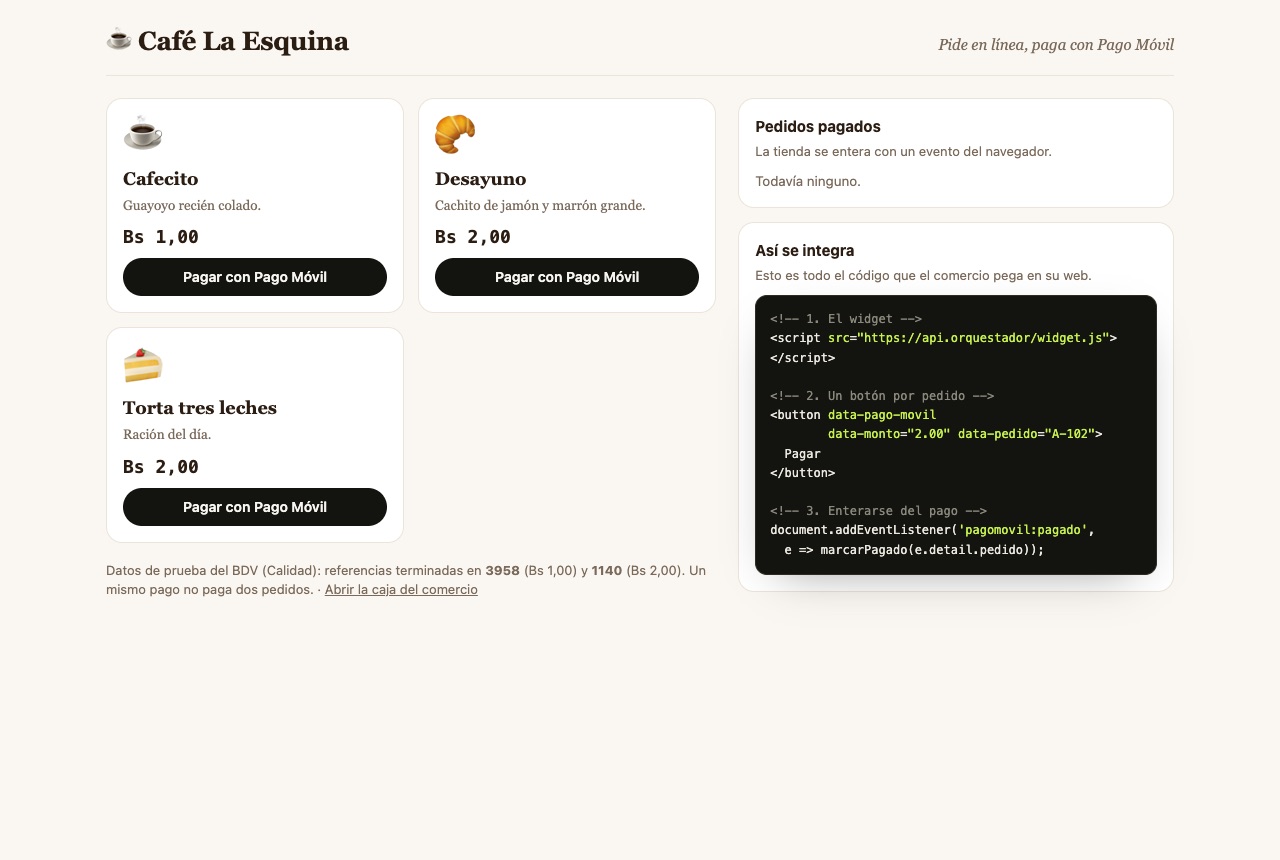
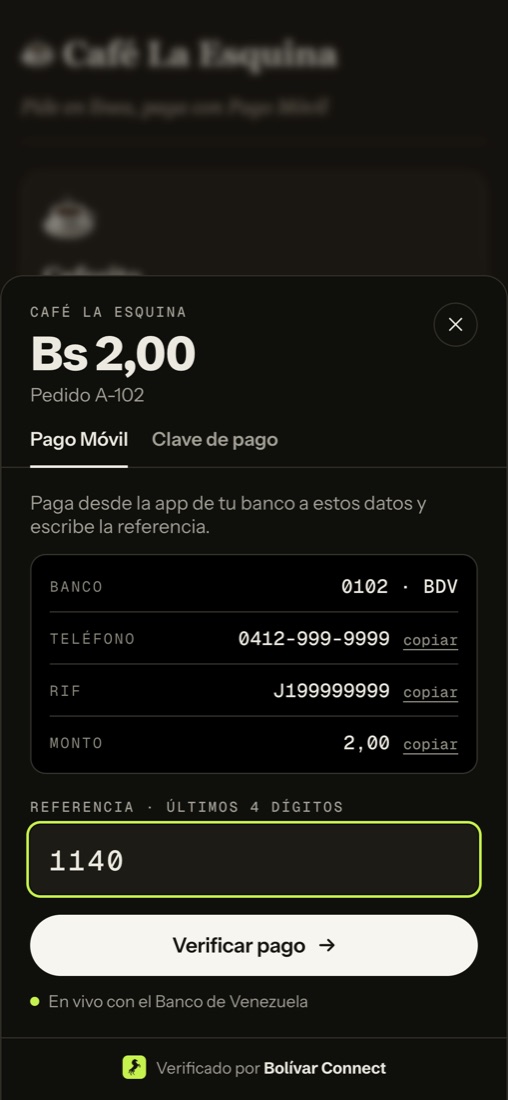
2 · They see who to pay. The merchant’s bank, phone number, RIF and amount, each with a copy button to paste it into their bank’s app.
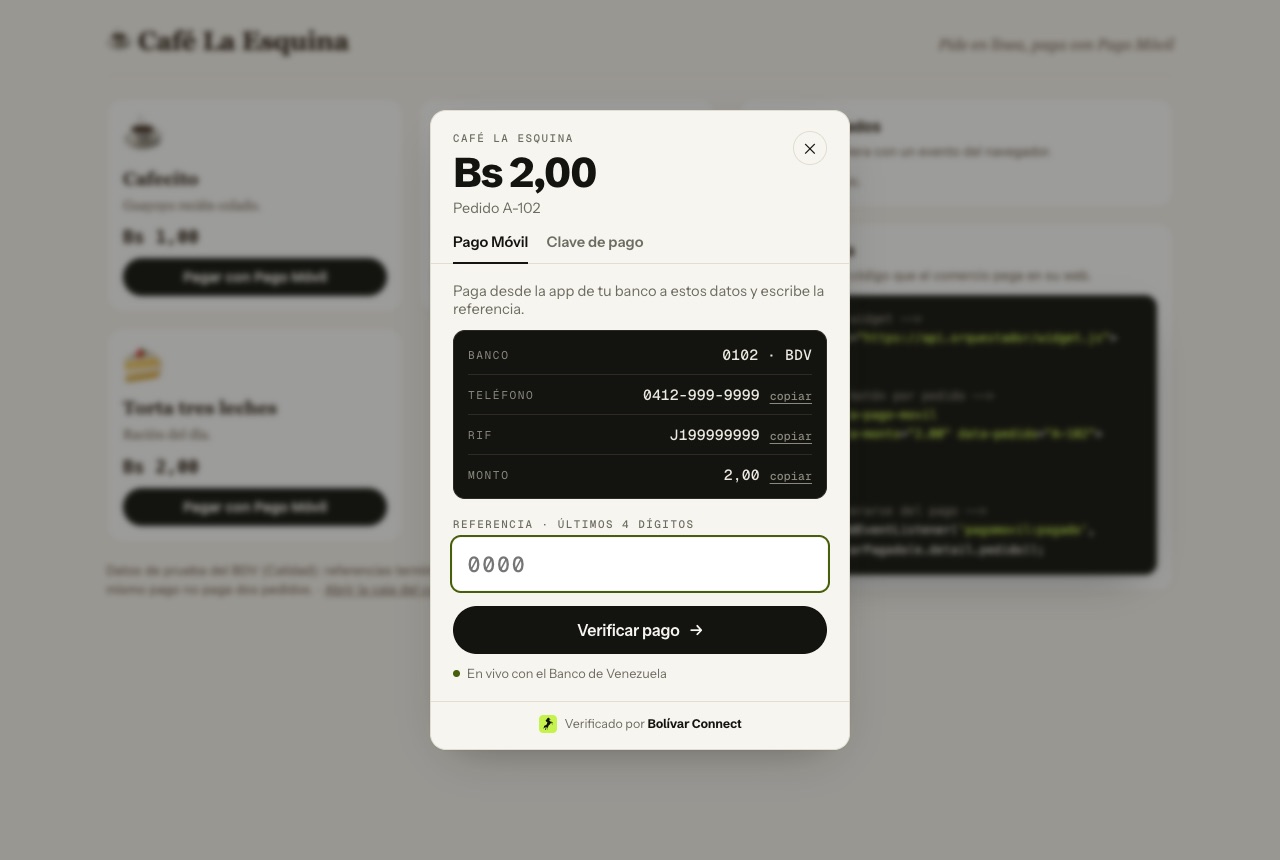
3 · They type the reference and we verify. The last 4 digits of the receipt are enough. In our tests the bank responds in under a second.
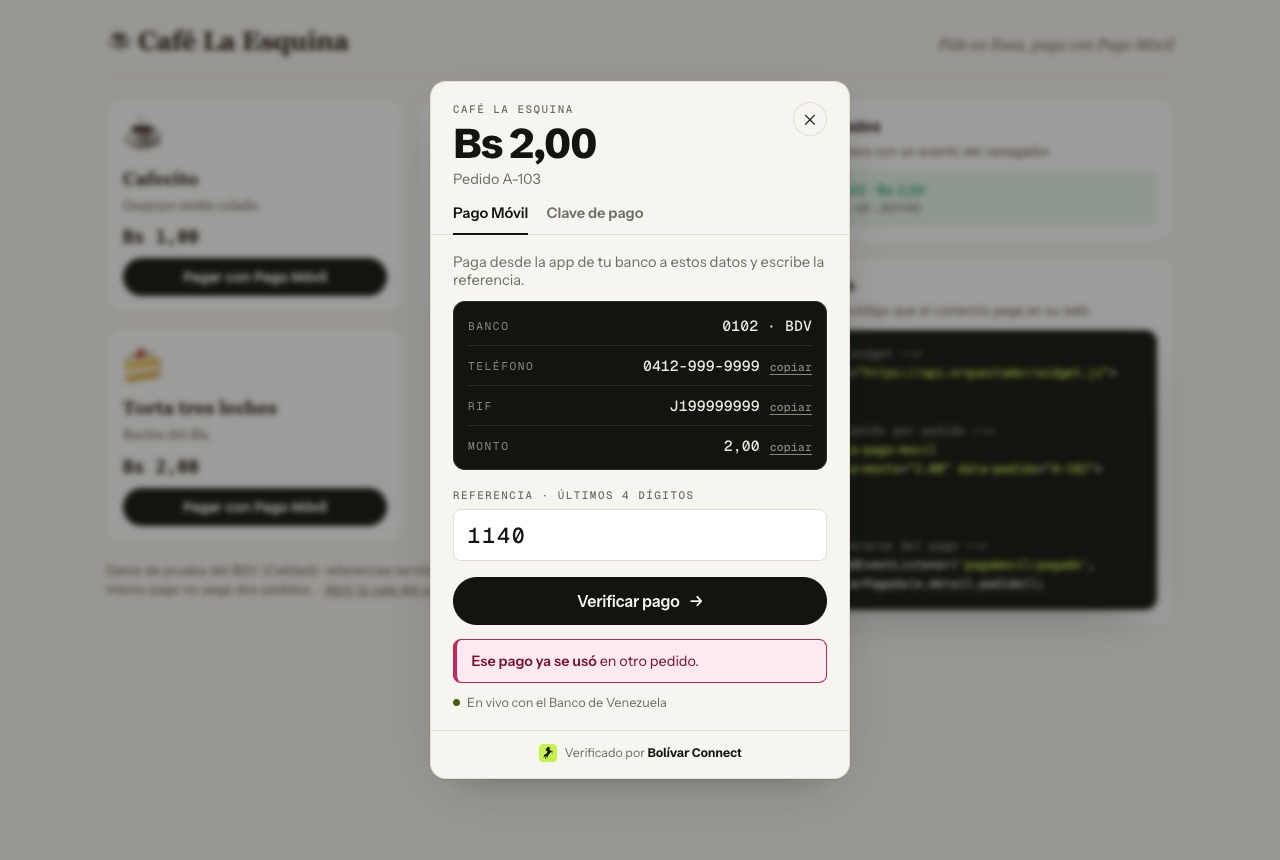
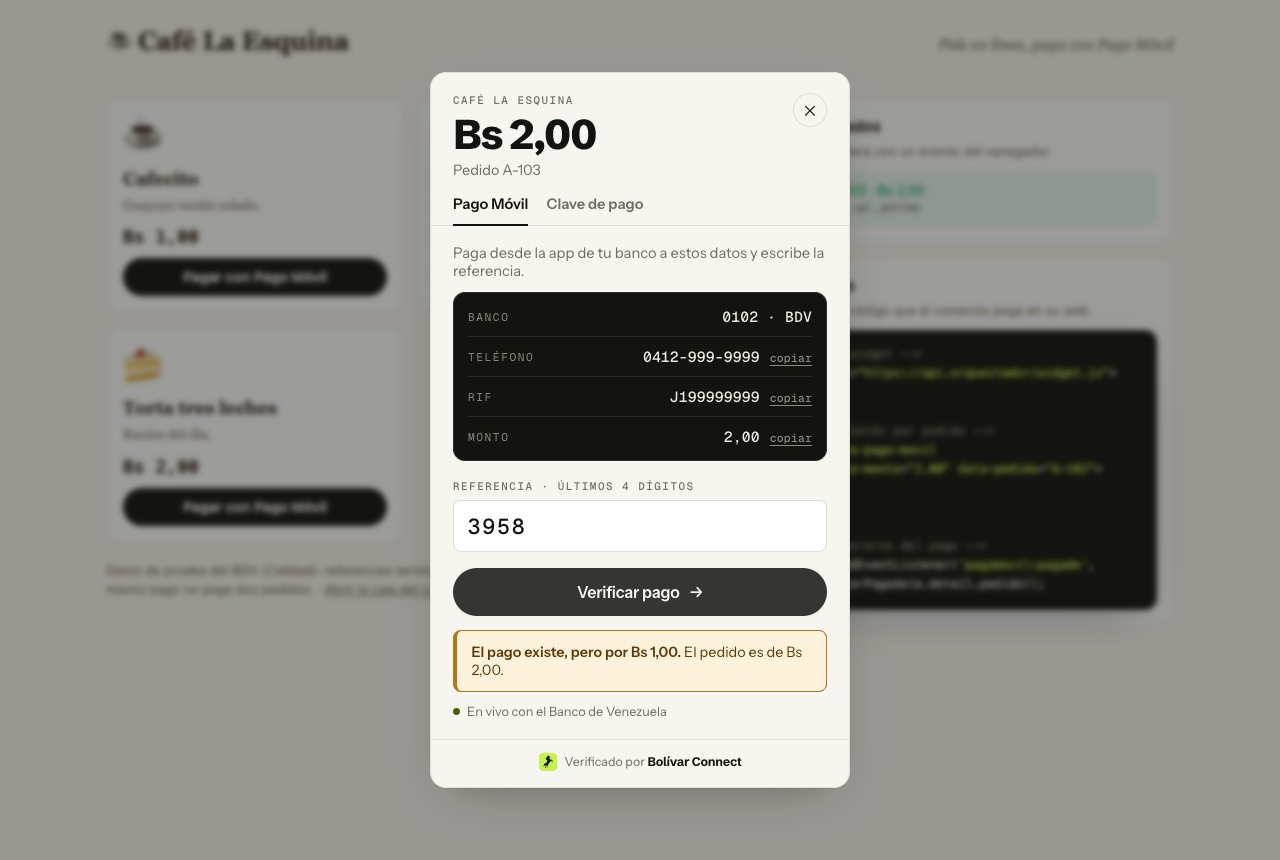
If something does not add up, we say so clearly. The same receipt cannot pay two orders, and if the amount is different we tell them which one.
Or pay with a PIN. In the “Clave de pago” (payment PIN) tab the customer pays instantly with the C2P PIN their bank gives them, without a reference.
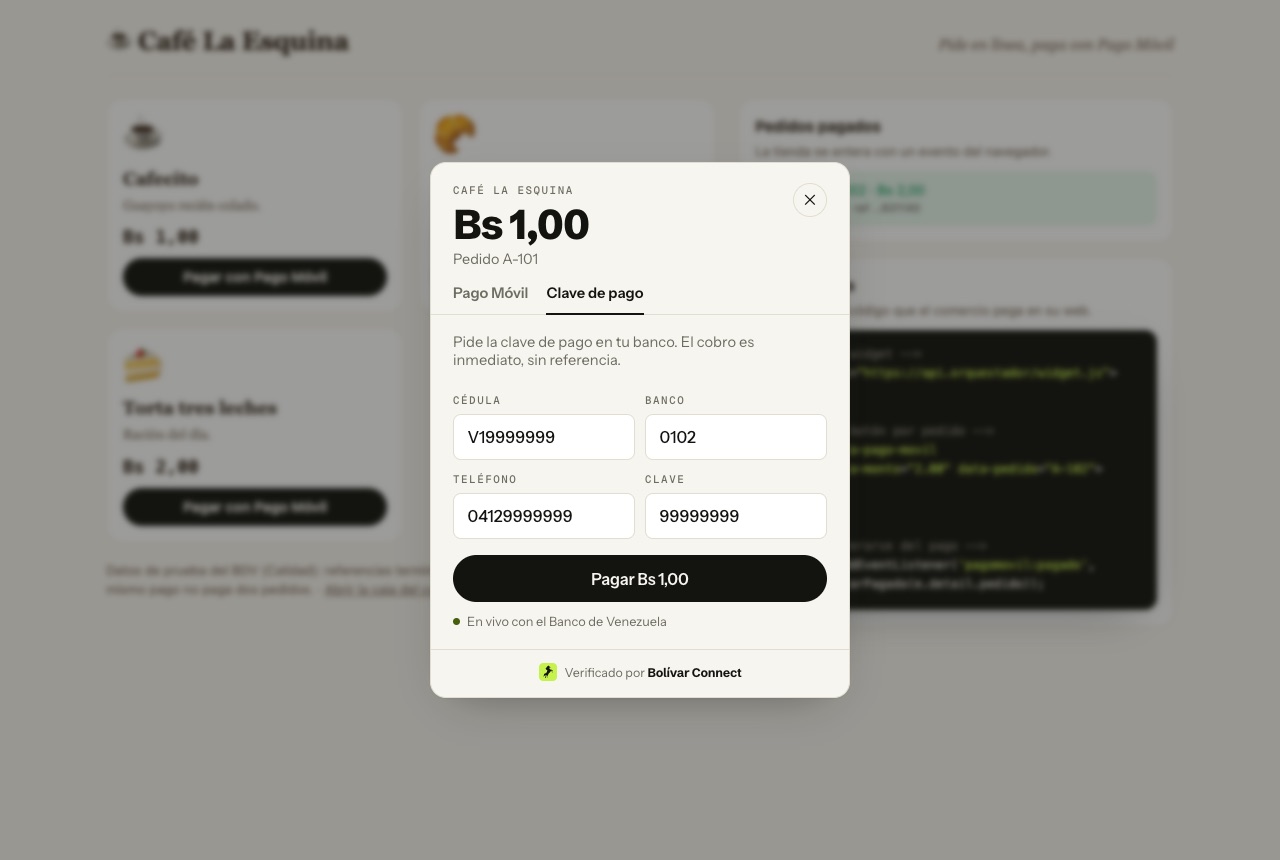
On mobile it opens as a bottom sheet, and it follows the phone’s dark mode.
Examples by framework
Section titled “Examples by framework”The widget is plain JavaScript, so it works the same on any stack. The only
thing that changes is where you put the <script>.
<script src="https://YOUR_ENVIRONMENT/demo/widget.js" defer></script>
<button data-pago-movil data-monto="2.00" data-pedido="A-102">Pagar</button>
<script>  document.addEventListener('pagomovil:pagado', (e) => {    location.href = '/thanks?order=' + encodeURIComponent(e.detail.pedido);  });</script>
import { useEffect } from 'react';import Script from 'next/script'; // in React without Next: a <script> in index.html
export function PagoMovilButton({ pedido, monto, onPagado }) { useEffect(() => { const listen = (e) => e.detail.pedido === pedido && onPagado(e.detail); document.addEventListener('pagomovil:pagado', listen); return () => document.removeEventListener('pagomovil:pagado', listen); }, [pedido, onPagado]);
return ( <> <Script src="https://YOUR_ENVIRONMENT/demo/widget.js" strategy="lazyOnload" /> <button data-pago-movil data-monto={monto} data-pedido={pedido}> Pagar con Pago Móvil </button> </> );}<script setup>import { onMounted, onBeforeUnmount } from 'vue';const props = defineProps({ pedido: String, monto: String });const emit = defineEmits(['pagado']);const listen = (e) => e.detail.pedido === props.pedido && emit('pagado', e.detail);onMounted(() => document.addEventListener('pagomovil:pagado', listen));onBeforeUnmount(() => document.removeEventListener('pagomovil:pagado', listen));</script>
<template> <button data-pago-movil :data-monto="monto" :data-pedido="pedido"> Pagar con Pago Móvil </button></template>The <script src=".../widget.js"> goes once in index.html.
-
Add the script to the theme footer: in Appearance → Theme File Editor →
footer.php, before</body>, or with an “insert headers and footers” plugin.<script src="https://YOUR_ENVIRONMENT/demo/widget.js" defer></script> -
On the order page, add a Custom HTML block:
<button data-pago-movil data-monto="2.00" data-pedido="A-102">Pagar con Pago Móvil</button>
There is no WooCommerce plugin packaged as a payment gateway yet: the order is not marked as paid automatically. That will come with server-to-server confirmation.
How it is built
Section titled “How it is built”It is a single JavaScript file, with no framework or dependencies: 23 kB, about 8 kB compressed. We built it that way on purpose, because it has to work inside websites we do not control.
- Plain JavaScript (ES5). No React, no Vue, no build step. That way it does not clash with your website’s framework or its version, and it loads in any browser from the last few years.
- Shadow DOM. The modal is rendered inside a Shadow DOM, so your CSS does not affect it and its CSS does not leak into your page. Your buttons keep your styles.
- CSS variables. Colors, corners and font are CSS variables inside the Shadow DOM. Your brand arrives from the server already computed and is applied without reloading the widget.
- Event delegation. It listens for clicks on
documentand reacts to any element withdata-pago-movil, including ones added after the page loads (lists, SPAs, carts). - Standard browser events. It notifies with a
CustomEvent(pagomovil:pagado) and, if you pass one, with a callback. No SDK to initialize. - Brand fonts (Instrument Sans, Schibsted Grotesk, Geist Mono), served from our domain. If your website does not allow them, it uses the system fonts without breaking.
- Accessible. It is a modal
dialog: it closes withEsc, focus returns to your button when it closes, and results are announced to screen readers (aria-live).
If your website has a Content Security Policy
Section titled “If your website has a Content Security Policy”If your site sends a Content-Security-Policy header, add the environment’s
domain to these three directives:
script-src https://YOUR_ENVIRONMENTconnect-src https://YOUR_ENVIRONMENTfont-src https://YOUR_ENVIRONMENTfont-src is optional: without it the widget uses the system fonts.
Test environment
Section titled “Test environment”In Quality the bank only knows two payments. Use them to test:
| Reference (last digits) | Amount | Payer |
|---|---|---|
3958 |
Bs 1.00 | FULANITO DETAL |
1140 |
Bs 2.00 | PEPITO PÉREZ |
For PIN-based collection (C2P) the test bank only accepts Bs 1.00 with
national ID V19999999, phone 04129999999, bank 0102 and PIN 99999999.
Each payment can be used only once. To start over, use “reiniciar demo” (reset demo) on the till.