Payment links
For the merchant that has no website and sells via WhatsApp, Instagram or in person. You create a link with the amount, send it, and your customer pays with Pago Móvil on a Bolívar Connect page. When the bank confirms the payment, the link is marked as paid on its own.
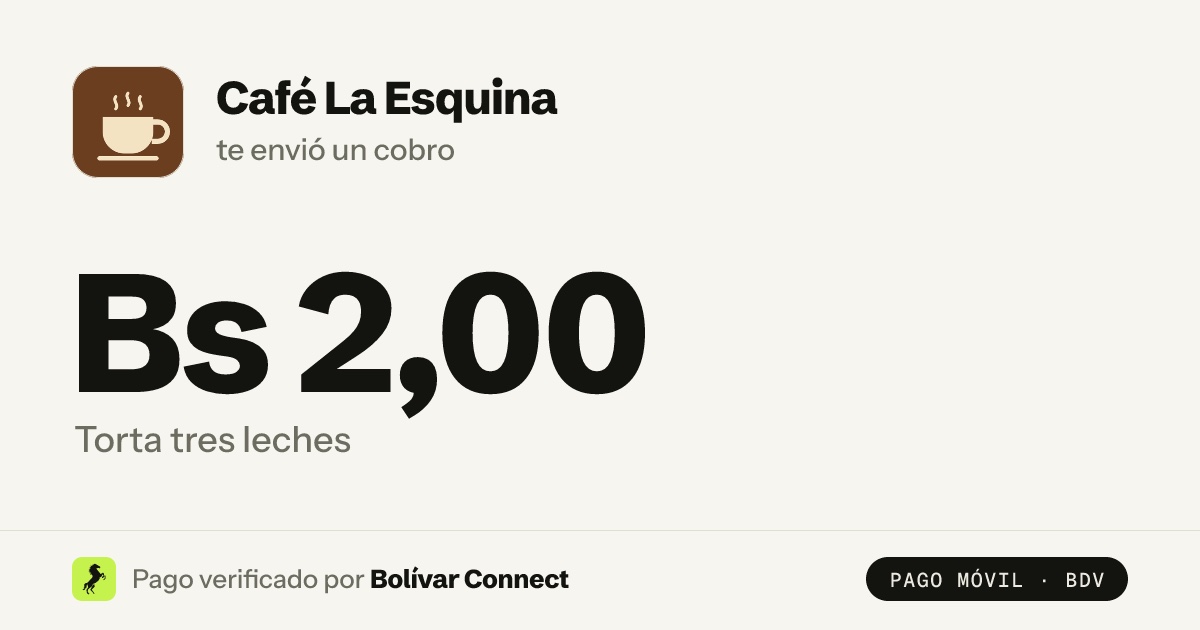
The payment page and the WhatsApp preview are in Spanish, for your customers in Venezuela.
How to use it
Section titled “How to use it”-
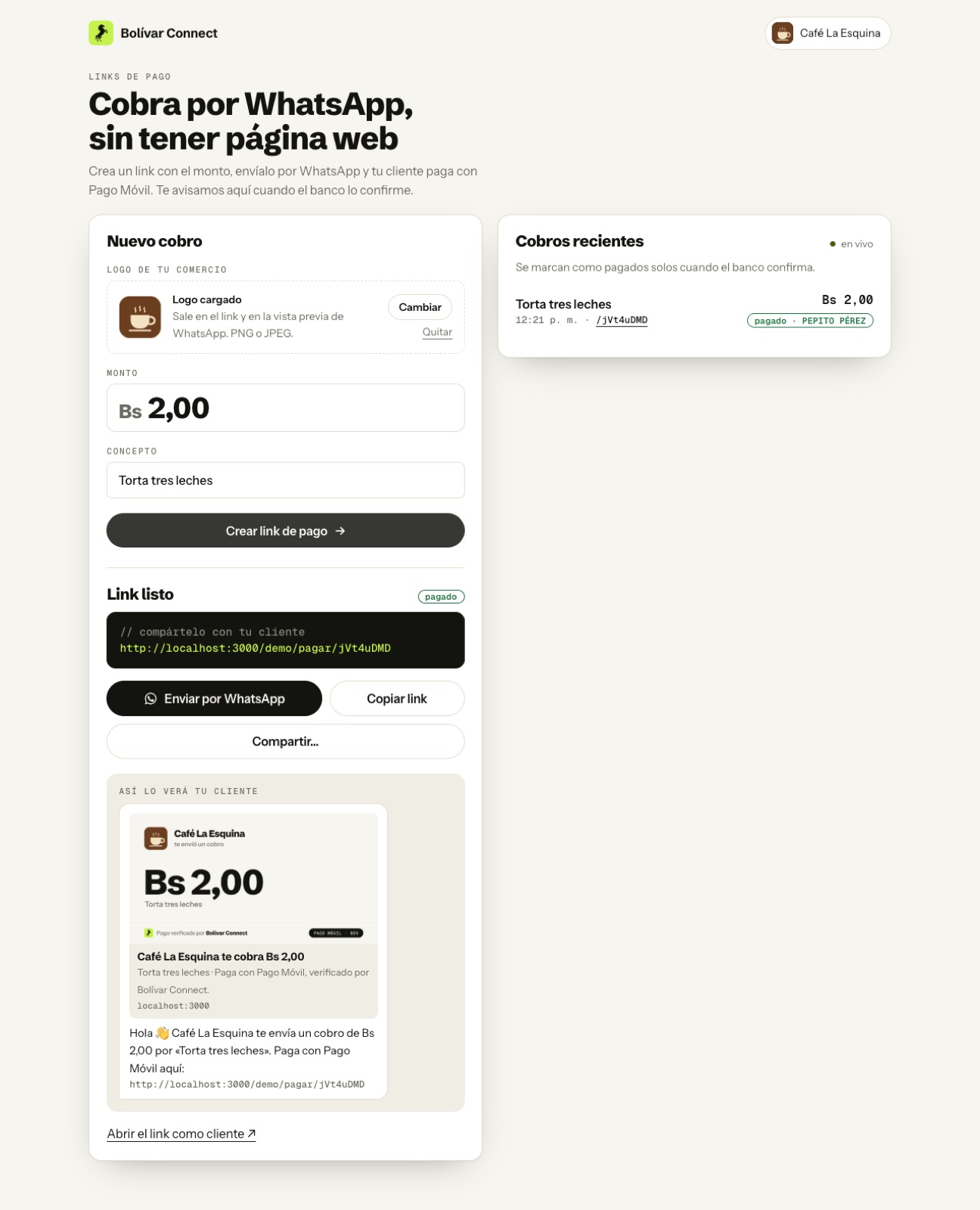
Upload your logo once (PNG or JPEG). It appears on the payment page and in the preview WhatsApp renders. If you do not have one, we use your business’s initial.
-
Create the charge with the amount and the concept: “Torta tres leches”, “Pedido #45”, “Mensualidad de octubre”.
-
Send it with the “Enviar por WhatsApp” button, which opens WhatsApp with the message already written. You can also copy the link or share it from the phone’s menu.
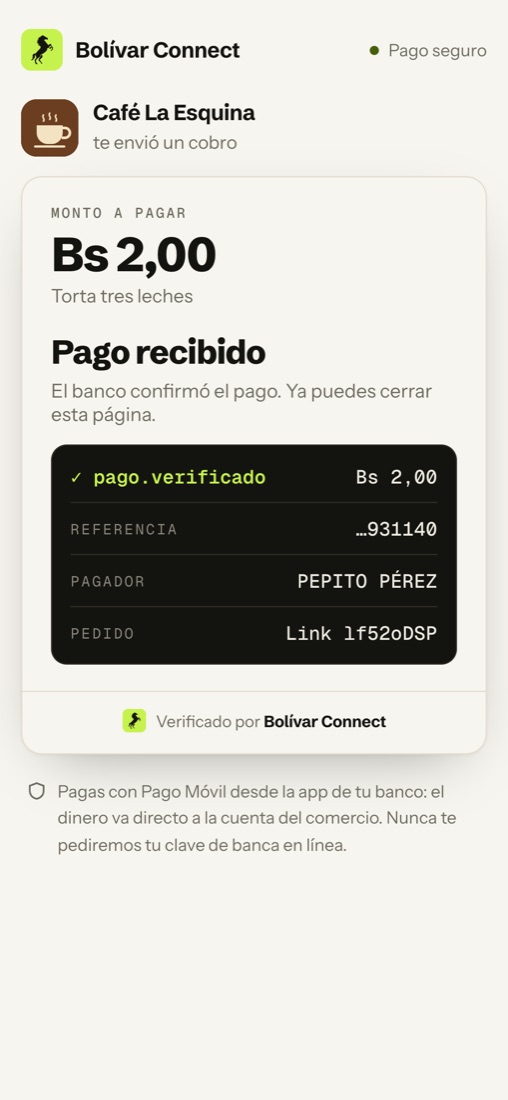
Wait for confirmation. In “Cobros recientes” (recent charges) the link goes from pendiente (pending) to pagado (paid), with the name of whoever paid, without you having to check the bank.
What your customer sees
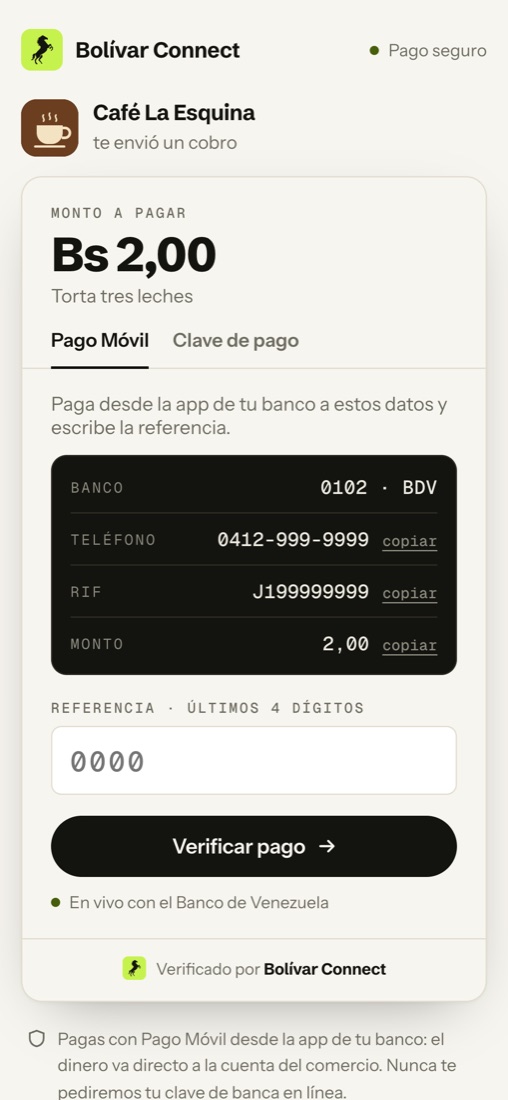
Section titled “What your customer sees”A page with your logo, the amount and the payment details. It is the same flow as the widget: they pay by Pago Móvil and type the reference, or pay with their payment PIN (C2P).
The WhatsApp preview
Section titled “The WhatsApp preview”WhatsApp reads the link’s page and renders a card before your customer opens it. That card is an image we generate for each charge:
- your logo (or your initial) and your business’s name,
- the amount in large type and the concept,
- a small footer: “Pago verificado por Bolívar Connect” (payment verified by Bolívar Connect).
That way your customer knows who is charging them and how much before tapping the link, which is what builds the most trust in a chat-based charge.
Security
Section titled “Security”- The amount is not in the link. The link only carries a random identifier; the amount and the concept are stored in Bolívar Connect. Nobody can edit the URL to pay less.
- A link is paid only once. Afterwards it shows “Este cobro ya está pagado” (this charge is already paid), and the same receipt cannot pay another charge either.
- The money goes directly into your account. Bolívar Connect does not touch it: it only verifies that it arrived.
- We never ask for online banking passwords. The page says so. The only PIN typed in is the C2P payment PIN, the one the customer’s bank generates for a single charge.
Test environment
Section titled “Test environment”In the test environment the generator is at /demo/links. Use the same test
data as the widget: create a link
for Bs 2.00 and pay with the reference ending in 1140, or one for
Bs 1.00 with 3958.